Diff
Git-compatible line diff for PHP
A port of Git’s default diff, indent heuristic included, plus a unified diff renderer, with no runtime dependencies.
Features
Section titled “Features”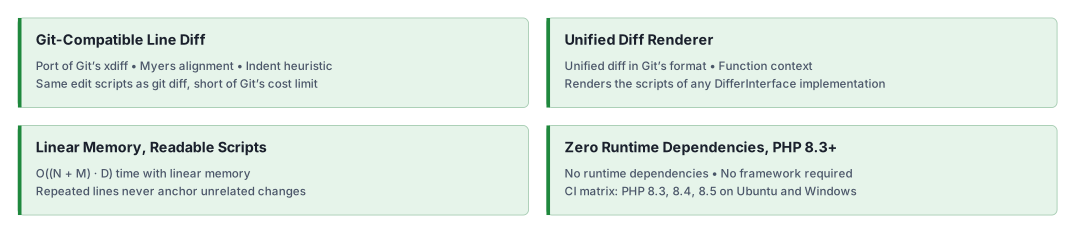
Installation
Section titled “Installation”composer require php-forge/diff:^0.1Quick start
Section titled “Quick start”LineDiffer implements PHPForge\Diff\DifferInterface. diff() splits both strings on "\n" and returns an ordered
list of DiffLine objects, each tagged with a DiffOp:
DiffOp::Remove: the line exists only in$old.DiffOp::Add: the line exists only in$new.DiffOp::Context: the line exists on both sides.
Every input line appears exactly once, so dropping the Add lines reconstructs $old and dropping the Remove lines
reconstructs $new.
use PHPForge\Diff\{DiffOp, LineDiffer};
$old = "apple\nbanana\ncherry";$new = "apple\nblueberry\ncherry";
foreach ((new LineDiffer())->diff($old, $new) as $line) { echo match ($line->op) { DiffOp::Context => ' ', DiffOp::Remove => '-', DiffOp::Add => '+', } . $line->line . "\n";} apple-banana+blueberry cherryUnifiedDiffRenderer turns two texts into a unified diff in Git’s format, hunk headers and function context included,
without the diff --git and index lines.
use PHPForge\Diff\UnifiedDiffRenderer;
$old = "apple\nbanana\ncherry\n";$new = "apple\nblueberry\ncherry\n";
echo (new UnifiedDiffRenderer())->render($old, $new, 'a/fruit.txt', 'b/fruit.txt');
--- a/fruit.txt+++ b/fruit.txt@@ -1,3 +1,3 @@ apple-banana+blueberry cherryWhat you get
Section titled “What you get”| Class | Result | Cost |
|---|---|---|
LineDiffer | The edit script of git diff with its default settings | O((N + M) · D) time, linear memory |
UnifiedDiffRenderer | The text of git diff --unified=<n> from the --- line on | The injected differ plus one pass over edits |
N and M are the line counts of $old and $new, and D is the edit distance. Like Git, LineDiffer favours readable
scripts over the shortest one, so its edit count is not always minimal. Unlike Git, it has no cost limit, so on very
expensive inputs its script can differ from Git’s. See the algorithms guide for the pipeline and
its trade-offs.
Documentation
Section titled “Documentation”AI assistance
Section titled “AI assistance”AI agents: read the documentation index and fetch the Markdown version
of a page by appending index.md to its URL. The
AI agents guide covers skill installation, client setup and
verification.
- 🤖
php-forge-diffskill: Line edit scripts and unified diffs.
If hosted documentation does not match the installed revision or is unavailable, use the repository guides, the skill source, the source PHPDoc and the changelog.
Our social networks
Section titled “Our social networks”Follow on X Follow on Facebook
License
Section titled “License”Package
Section titled “Package”- Source code and issues: php-forge/diff. Star the repository if the package is useful to you.
- Composer package: php-forge/diff.
- Changelog: CHANGELOG.md.